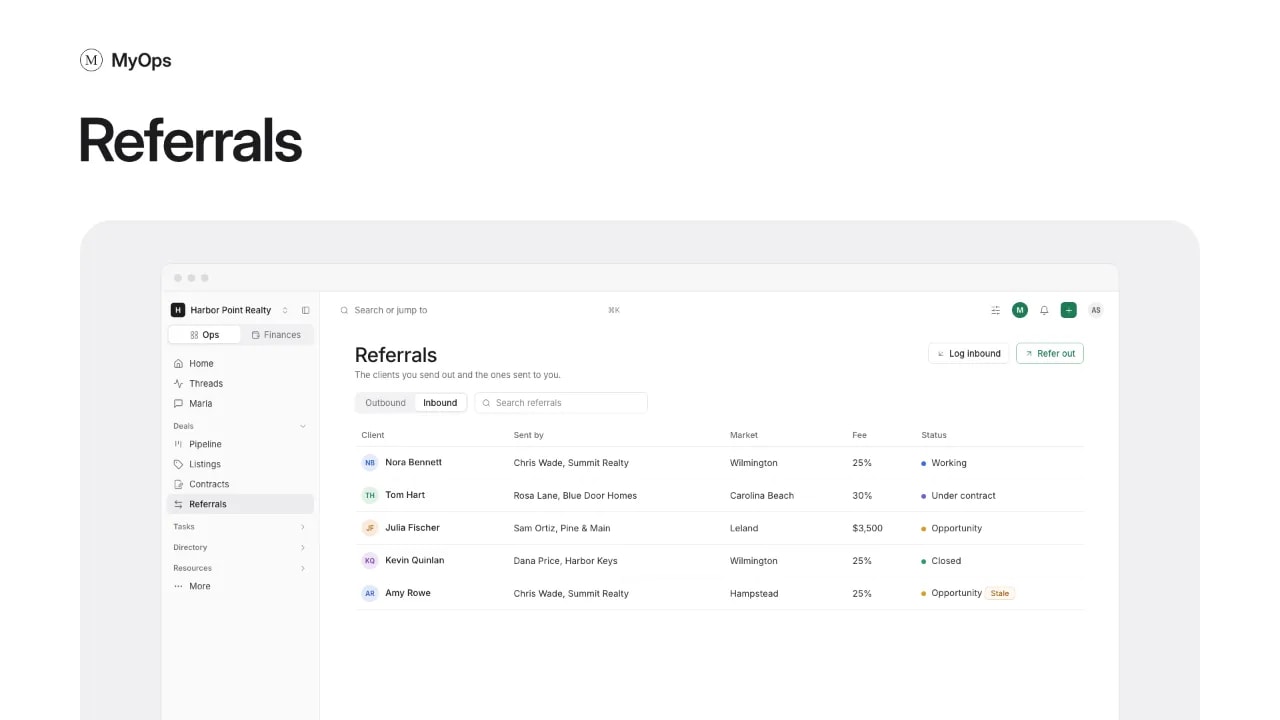
When another agent sends you a client, log the referral. MyOps starts the deal and keeps the fee you owe on it.
Steps
- In the sidebar, open
Deals>Referrals. - Select Log inbound.
- Under Sent by, pick the agent from People, or add them with their brokerage.
- Pick the Client (usually new: type their name), the Side and the Market.
- Add the Fee as a % or in $, the Estimated price and the agreement dates if you have them.
- Select Log and start the deal.
Good to know
- The new deal starts in Opportunity. The referral follows it: Working once it is listed, then Under contract.
- Already made the deal? On New deal, pick the Agent referral lead source and log the referral there.
- The fee you owe sits on the deal's commission split as a Referral fee line, off the top.
- Leave the fee empty to use the workspace's default from
Settings>Referrals. - When the deal closes, the referral asks you to Close the referral with the final fee.
- Keep the other agent posted under Updates. A referral with no news for a while shows as Stale.
- Until the agreement is added, the referral shows No agreement. Use Add the agreement in its ... menu.
Who can do it
Everyone logs referrals. Admins pick the Agent who works it; for anyone else, it is theirs. A referral is seen by whoever sees its deal.