What it is
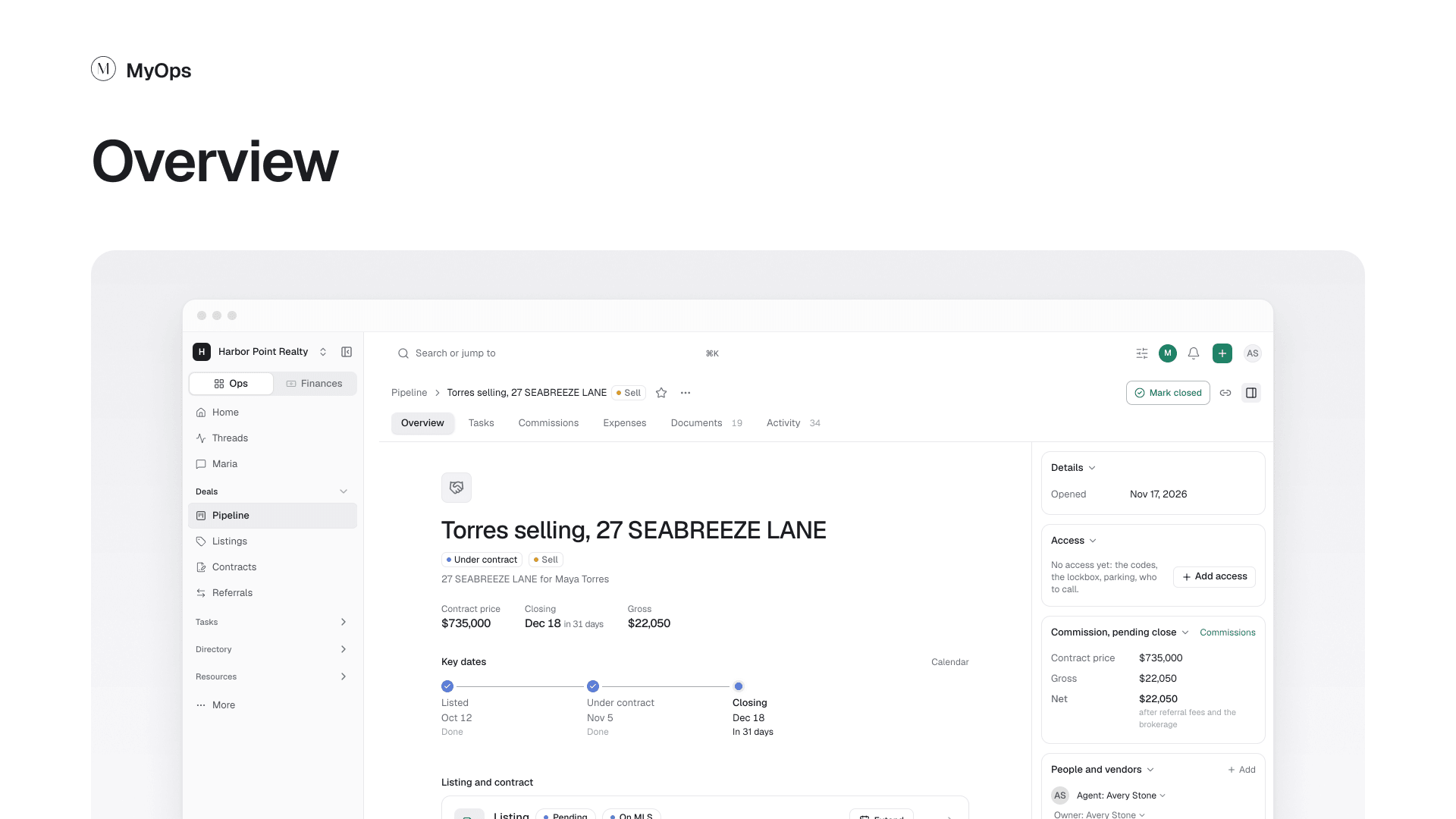
The deal at a glance: who and what it is, the price and dates, and where it stands.
What you can do here
- Read the price, the closing date and the key dates at the top.
- Open the listing or the contract from its card, or add one with Add a listing or Add a contract.
- In Details, change the stage, who sees the deal (Private or Workspace), the agent and the owner.
- Add a client with the + on the client row. On a buy deal, add a home the buyer is considering the same way.
- Write a Description, and add Notes.
Who sees it
Everyone who can see the deal. A Private deal shows only to its agents, admins and the owner, and to people it is shared with. A Workspace deal shows to everyone in the workspace. Its agents, its owner and admins make the changes.