What it is
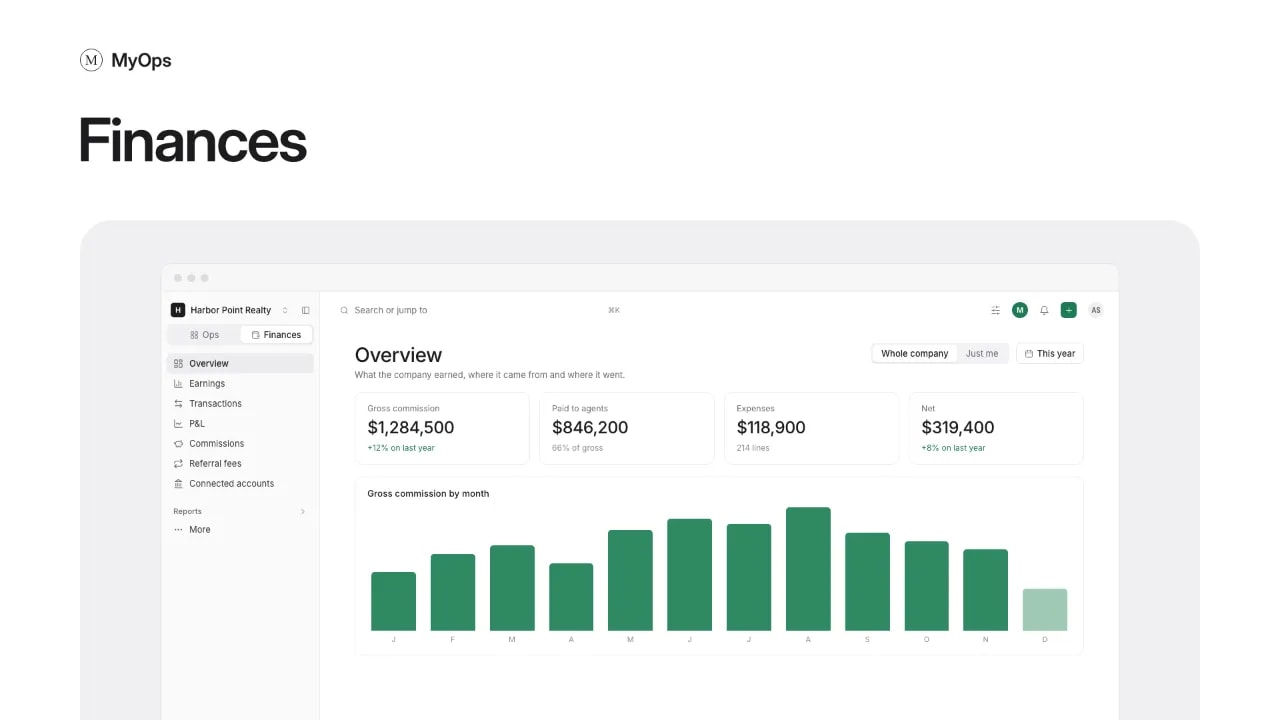
The home of the Finances tab. At the top of the sidebar, switch from Ops to Finances, then open Overview. It shows what the company earned, where it came from and where it went.
An agent's sidebar calls the same row Earnings, and the page shows only their own money.
What you can do here
- Pick a Period, and switch between Whole company and Just me.
- Select a number on a card to see what it is made of.
- On All workspaces, compare each workspace's gross and net under By workspace, and open one.
- The first time, a short welcome opens. Select Get started, then use Finish setup in the header to connect your bank accounts and cards.
- As an agent, see My earnings for the period, with what you earned by month, your closings and the closings coming up. Anything not marked paid yet shows under the total.
- Select My commissions and payouts to see each deal behind your number.
Who sees it
Everyone, each with their own numbers. Organization owners and admins see the whole company. A workspace admin does too when Finance access is on for them in Settings > Members. Everyone else sees only their own money.