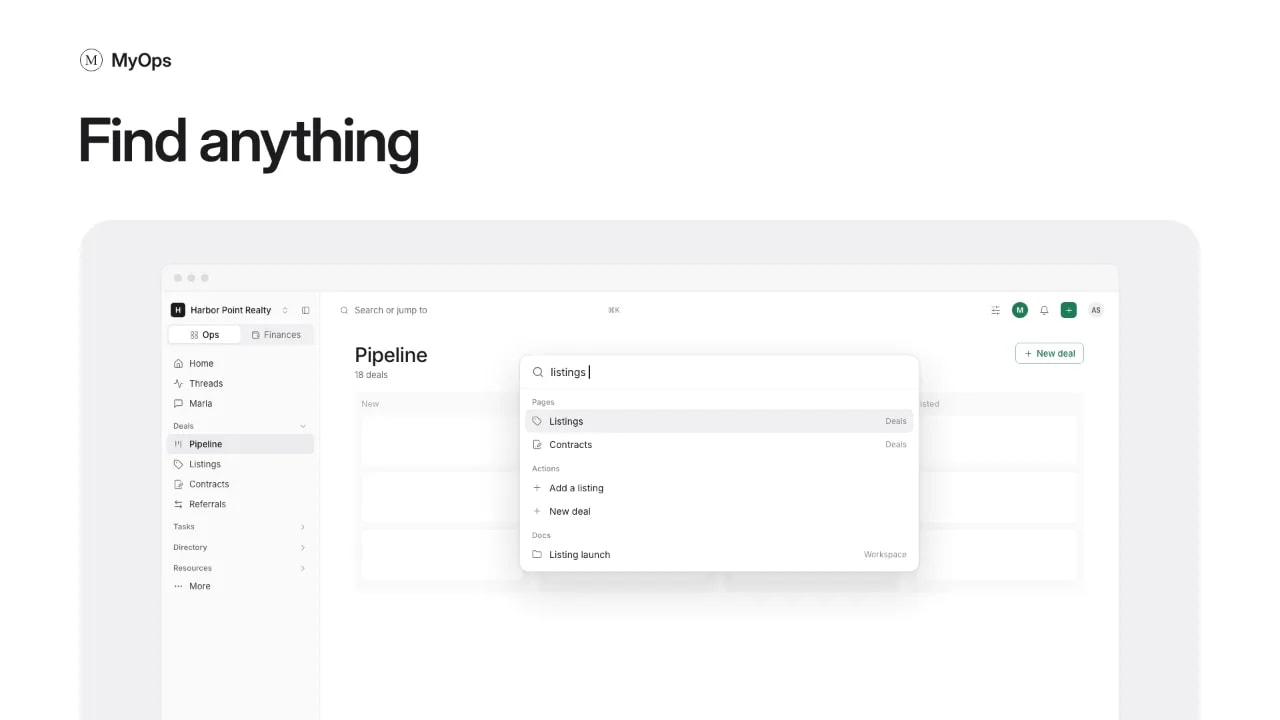
Looking for something from the old app? Here is where each thing is now. The sidebar has two tabs at the top: Ops and Finances.
| Looking for | Where it is now |
|---|---|
| Buyer needs | On the deal. A buyer is a deal in Deals > Pipeline, with a Buyer needs tab. |
| Listings | Deals > Listings. Each listing also sits on its deal. |
| Contracts | Deals > Contracts. Each contract also sits on its deal. |
| Notes | Resources > Docs, as docs in the same folders as before. |
| Classroom | Resources > Docs, in the Classroom folder under Workspace. |
| Files and documents | Resources > Docs. A deal's files are on its Documents tab. |
| Tasks | Tasks > All tasks. A deal's tasks are on its Tasks tab. Checklists are in Tasks > Checklists. |
| Financials | The Finances tab: Overview, Earnings, Transactions, P&L, Commissions and Referral fees. |
| Referrals | Deals > Referrals, with Outbound and Inbound views. |
| Leaderboard | More, at the bottom of the sidebar, then Workspace leaderboard. |
| Contacts | Directory > People and Directory > Companies. |
| Vendors | Directory > Companies. |
| Passwords | Resources > Passwords. |
| Calendar | Tasks > Calendar. |
Good to know
You can also press Search or jump to at the top and type what you are looking for.