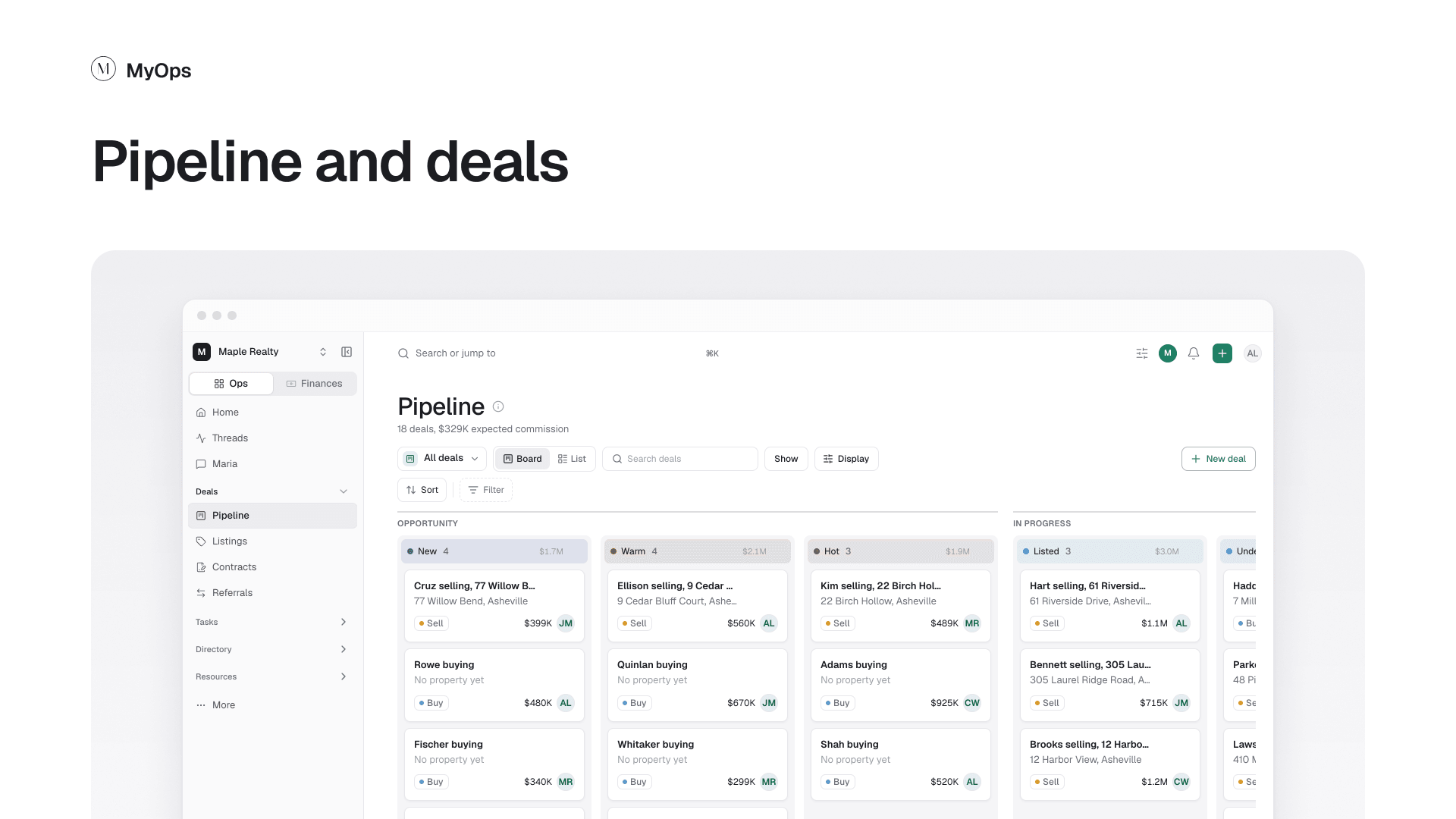
Every buyer, seller, listing and contract is a deal, and every deal moves across one board called the Pipeline.
Steps
- In the sidebar, open
Deals>Pipeline. - Select New deal to add a buyer or a seller.
- Drag a deal to the next stage as it moves along. Use Board or List at the top to change the view.
- Drop a deal on Listed to add its listing, or on Under contract to add its contract.
- Open a deal to see everything about it: Overview, Tasks, Documents and Activity.
Good to know
- The early stages (like New, Warm and Hot) are yours. Rename them or add your own in
Settings>Deal stages. - Listed follows the listing. Under contract and Closed follow the contract.
Who can do it
Everyone works the deals they can see. Owners and admins change the stages.
Read next: How a deal works