What it is
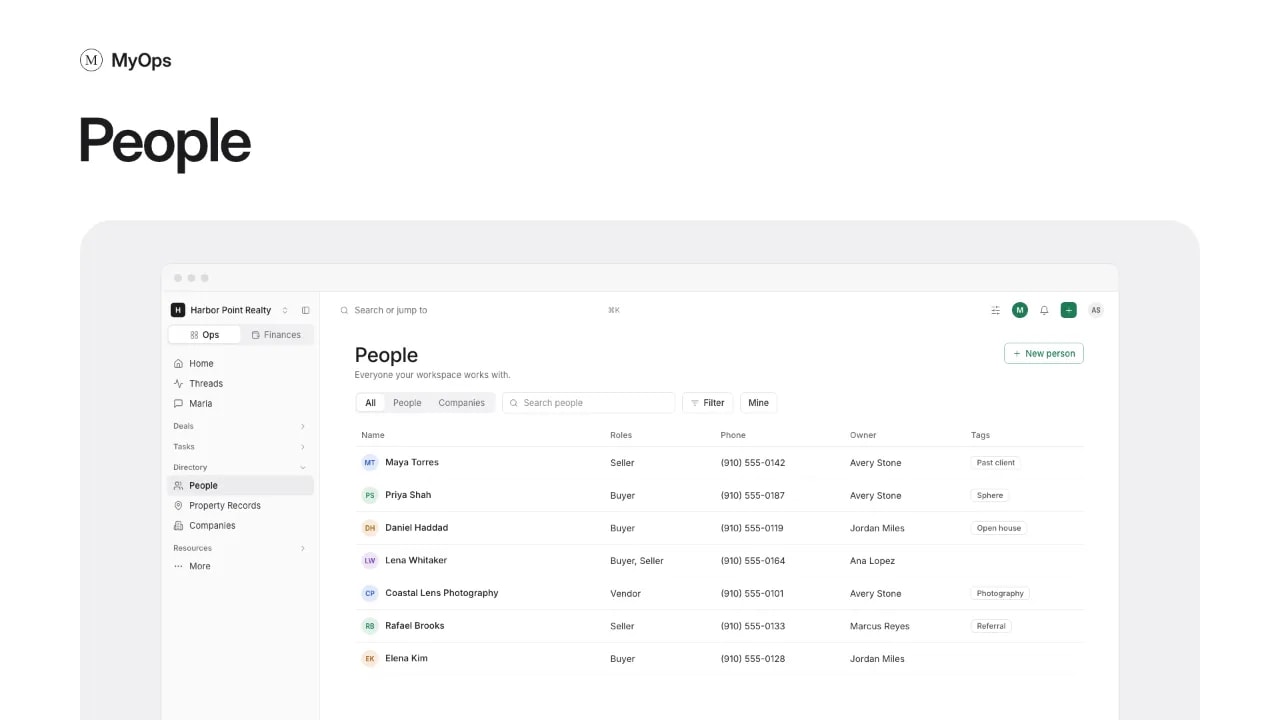
Your contact book: the people and companies your workspace works with. Open it from Directory > People.
What you can do here
- Select New person to add someone. A name and one way to reach them is enough. For a client that is itself a company, pick A company (LLC, trust).
- If they look like someone already in People, you can open that person or select Add anyway.
- Search, switch between All, People and Companies, and filter by role, status, tag or Mine. Set the status to Archived to see archived people and restore them.
- Select people in the list to Tag or Export them.
- Open a person to see the deals they are on and their part in each, their open tasks, the documents on their deals, referrals that name them, activity and notes.
- On a person, select Log a call, Edit, or Add to a deal. Change their email, phone, birthday, lead source, company, addresses and tags under Record details.
Who sees it
Everyone. You see the workspace's people, plus the private ones you own or that are shared with you. Admins see every person.
Anyone who sees a person can edit their details. You export the people you own; admins export anyone. Admins can also change the owner or who sees several people at once, archive them, and erase a person at their request with Erase (GDPR).