What it is
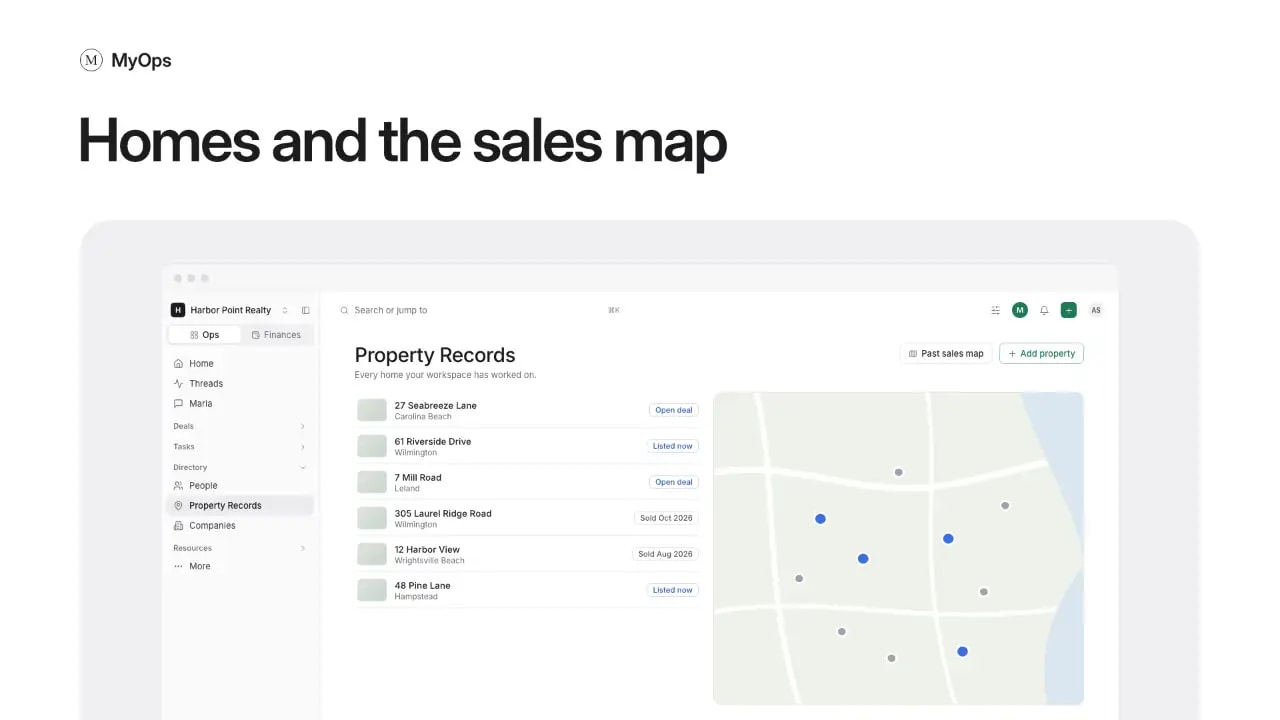
Directory > Property Records lists every home your workspace has worked on, with its history. A home lands here when you start a deal on it, or when you select Add property.
What you can do here
- Search by address or nickname, and filter by Type, Listing, Agent, city, Open deal, Listed now or Archived.
- Switch to the map with the buttons on the right. A home with an open deal is a blue dot.
- Open a home to see its deals over time, photos, sales, listings, people, links, activity, facts and notes.
- Edit Facts on the home. While a deal on it is open, edit them on the deal.
- Select New deal to start a deal on the home, or the star to add it to your favorites.
The past sales map
Select Past sales map at the top of the list to see your closed sales on a map. Filter by Where, When, Side, Type and Price. Select Share for a card, or Share link for a link. A link shows no prices until you turn on Show prices. The same map is in Reports > Analytics on the Finances tab.
Who sees it
Everyone in the workspace sees its homes. A deal you cannot see shows as A deal you do not see. Only admins archive or restore a home. On the map, agents see sales on their own deals; admins see the whole workspace.