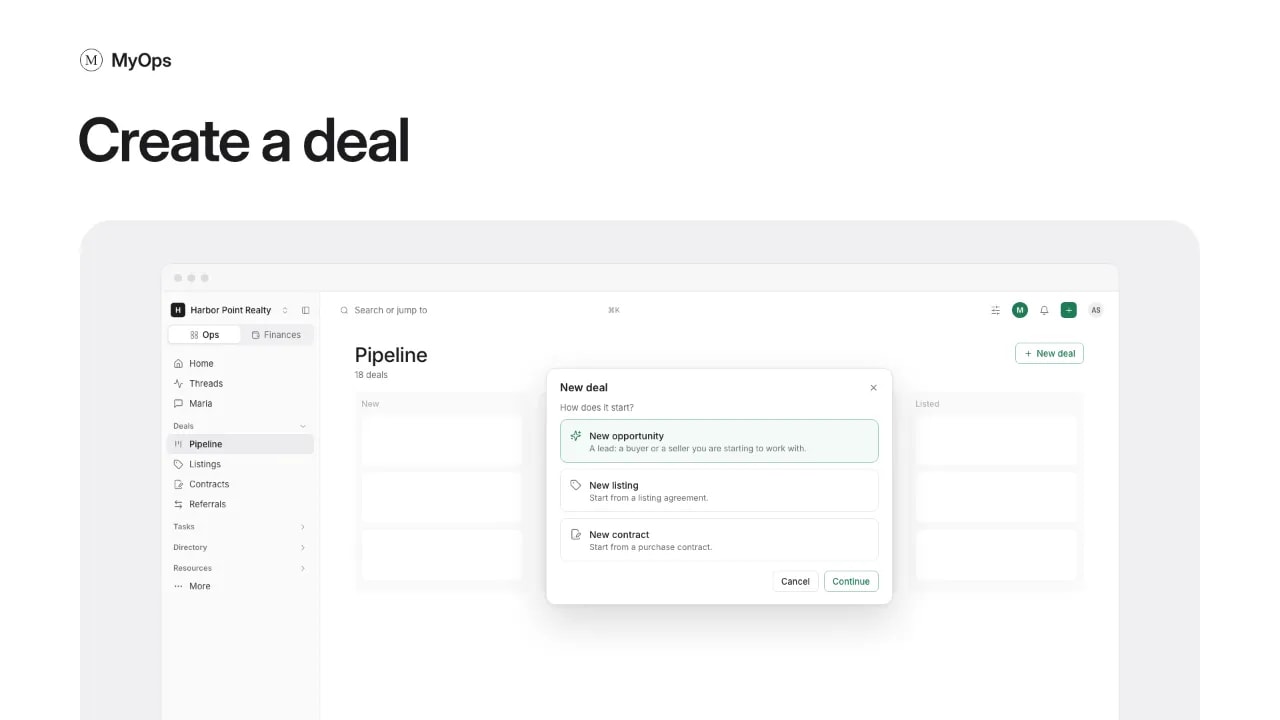
Every buyer, seller, listing and contract is a deal.
Steps
- In the sidebar, open
Deals>Pipelineand select New deal. Or select the + in the top bar, then Deal. - Pick how it starts: New opportunity for a lead, New listing for a listing agreement, or New contract for a purchase contract.
- For a listing or a contract, upload the document, or select Type it in.
- Find the client in People, or add a new one.
- Fill in Side (Buying, Selling or Both), Property, Lead source, Agent and Who can see it. More details holds the co-agent, segment, expected close and price.
- Select Create deal.
Good to know
- A new opportunity lands in your workspace's starting stage, or pick one under Stage. A deal made with a listing lands in Listed, and one with a contract in Under contract.
- Every deal needs a client and a lead source. A client's own lead source carries over. Don't know it? Pick Not sure.
- The property can wait, except on a listing.
- Leave Deal name empty to name it from the client, the side and the street.
- A new deal is Private unless you pick The workspace.
- You can also select New deal on a home's page.
Who can do it
Everyone in the workspace. Only admins can make someone else the deal's Owner.